Building a PC that can handle both work tasks and play isn’t just about picking the most expensive parts. It’s about balancing a system that can edit videos, run spreadsheets, handle multiple apps at once, and still run games smoothly.
Think of it as building a personal workstation and gaming hub in one. Don’t worry if it sounds complex, we’re going to break it down step by step, in a simple, friendly way. By the end, you’ll know exactly what parts to pick, how to assemble them, and how to keep your PC running fast for years.
The Brain of Your Build: Choosing the Right CPU
The CPU, or processor, is the brain of your computer. It determines how fast your PC can think and process information. A strong CPU is critical if you multitask, edit videos, or play modern games.
A good CPU balances cores (think of them as mini brains inside the brain) and clock speed (how fast each mini brain thinks). More cores help with multitasking and professional software like video editing, while higher clock speeds improve gaming performance.
Key CPU Choices:
- Intel Core i5/i7 (13th or 14th Gen): Great for work and gaming, reliable and fast.
- AMD Ryzen 5/7 (7000 series): Excellent for editing, multitasking, and gaming.
- Tips for beginners: Don’t just go by price look at cores, threads, and clock speed. Aim for 6–12 cores for work/gaming balance.
Pro Tip: If you do a lot of heavy editing, video rendering, or 3D work, prioritize more cores. For mostly gaming and office work, higher clock speeds may be better.
The Visual Powerhouse: Choosing Your GPU
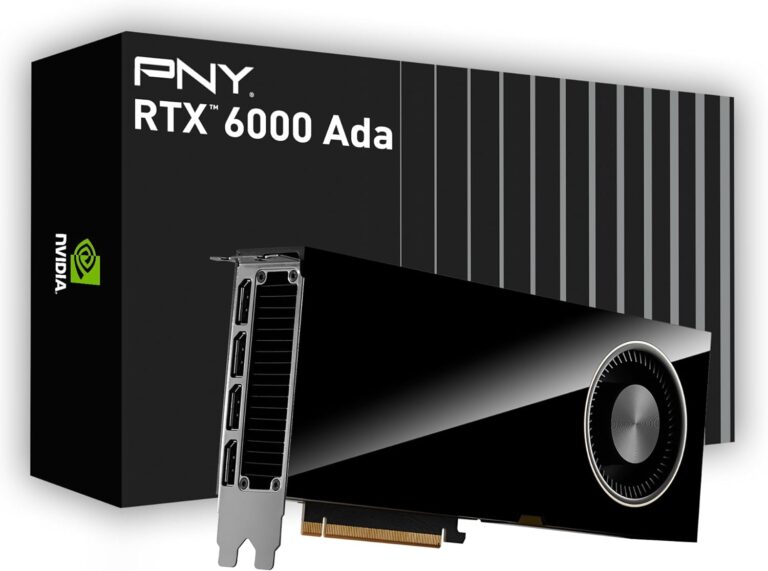
Your GPU is the artist of your PC. It paints everything you see on your screen from spreadsheets to videos to games. Even if you’re not gaming, a strong GPU is helpful for video editing, 3D rendering, and creative apps.
When choosing a GPU, consider VRAM, which is like a scratchpad for visuals. More VRAM allows smoother performance in high-resolution projects and modern games.
Key GPU Choices:
- NVIDIA GeForce RTX 4060/4070: Perfect for gaming at 1080p–1440p, also strong for editing.
- AMD Radeon RX 7800 XT/7900: High performance for work and gaming with good VRAM.
- Tips for beginners: Aim for at least 8GB VRAM. If you want to play newer AAA games at max settings or do heavy 3D work, consider 12GB+.
Extra Value: Many modern creative programs like Adobe Premiere or Blender leverage GPU acceleration. So a good GPU improves both work and play speed
Memory Matters: How Much RAM Do You Really Need?
RAM is your PC’s short-term memory. It temporarily stores the data your computer is actively using. The more RAM you have, the better your PC handles multiple apps at once.
- 16GB RAM: Works well for general work, light editing, and casual gaming.
- 32GB RAM: Needed for heavy editing, multiple virtual machines, or large games.
- DDR5 vs DDR4: DDR5 is faster and more future-proof, but DDR4 is still fine for most builds.
Pro Tip: If you plan to keep your PC for 5+ years, go for 32GB DDR5. If your budget is tight, 16GB DDR4 is plenty.
Storage Solutions: Fast and Big Enough for Everything
Storage affects how fast your apps and games load and how much you can store. Think of it as the backpack of your PC.
- SSD (500GB–1TB): Fast, perfect for your OS and most-used apps.
- HDD: Extra storage for videos, games, or large projects.
- NVMe SSD: Ultra-fast storage that loads programs instantly, ideal for video editing or large gaming libraries.
Pro Tip: A combination of SSD for speed + HDD for space is perfect for versatility.
The Foundation: Choosing Your Motherboard
The motherboard is like the skeleton of your PC. It connects every component and lets them talk to each other. A good motherboard ensures stability and lets you upgrade parts later.
Key Motherboard Choices:
- B760/B650 boards: Mid-range, perfect for most builds.
- Z790/X670 boards: High-end, extra features for enthusiasts.
- Tips for beginners: Check the number of RAM slots, M.2 slots for SSDs, and ports for USB and peripherals.
Extra Value: A motherboard with Wi-Fi 6 or 6E, Bluetooth, and multiple M.2 slots is future-proof and keeps your PC versatile.
Building Your PC: A Step-by-Step Overview
Building your PC might seem scary, but it’s really just assembling a very high-tech Lego set. Here’s how:
- Install the CPU and cooler on the motherboard.
- Insert RAM sticks into the proper slots.
- Mount the motherboard in the case.
- Install the GPU in the PCIe slot.
- Connect storage drives and power cables.
- Double-check every connection before turning it on.
- Install the operating system and drivers.
Pro Tips:
- Watch a 10–15 minute YouTube build tutorial. It helps beginners a lot.
- Apply thermal paste sparingly; too much is not better.
- Keep cables organized for airflow; your PC will run cooler and look cleaner.
Optimizing Your Versatile PC for Peak Performance
Even a top PC can slow down if it’s not optimized. Here’s how to keep it running smoothly.
Software Optimization for Work and Play:
- Keep your OS and drivers updated.
- Close unused apps while gaming or editing.
- Use “Performance Mode” for demanding tasks, “Balanced Mode” for daily use.
System Maintenance for Long Life and Performance:
- Clean dust from fans and components regularly.
- Monitor temperatures using simple software like HWMonitor or MSI Afterburner.
- Run storage cleanup and disk checks periodically.
Extra Value: Consider a lightweight antivirus and backup solution to protect your files without slowing your system.
Personalized Build Recommendations
Here’s a practical guide for different budgets and uses:
- Budget Build: Intel i5 + GTX 1660 + 16GB RAM + 512GB SSD. Great for general work and casual gaming.
- Mid-Range Build: Ryzen 7 + RTX 4060 + 32GB RAM + 1TB NVMe SSD. Smooth for editing, multitasking, and gaming.
- High-End Build: Intel i7 + RTX 4070 + 32–64GB RAM + 2TB NVMe SSD. Perfect for everything, including heavy editing, 4K gaming, and creative work.
Tip: Choose a build not only for now but for future tasks and upgrades. It’s better to spend slightly more now than upgrade every year.
Competitor Insights & How We Made This Better
The PCBottleneckCalculator.net article is solid, but we took it further:
- Child-friendly, casual explanations: Everything is easy to understand.
- Personalized builds for all budgets: Helps readers pick the best system.
- Step-by-step assembly guide: Easy for beginners.
- Optimization tips: Keeps your PC fast for years.
- Maintenance advice: Ensures long-term performance.
- Real-world recommendations: Practical and human, not just specs.
Tips
- Monitor your PC’s health: Small apps can track temperatures, CPU load, and disk space.
- Upgrade gradually: Start with CPU, GPU, RAM. Add more storage later if needed.
- Cable management: Simple zip ties and routing help airflow and reduce noise.
- Ergonomics matter: Pair your powerful PC with a good monitor, keyboard, and chair for comfort.
Conclusion
Building a PC that handles both work and play is all about balance. Pick the right CPU, GPU, RAM, storage, and motherboard, follow the assembly steps, optimize software, and do regular maintenance. With this approach, you’ll have a PC that’s fast, versatile, and future-proof.
Remember: a PC isn’t just a tool, it’s your personal powerhouse for creativity, productivity, and fun. Take your time, enjoy the process, and build something that lasts.